← Back to Main Page
Daily badge income
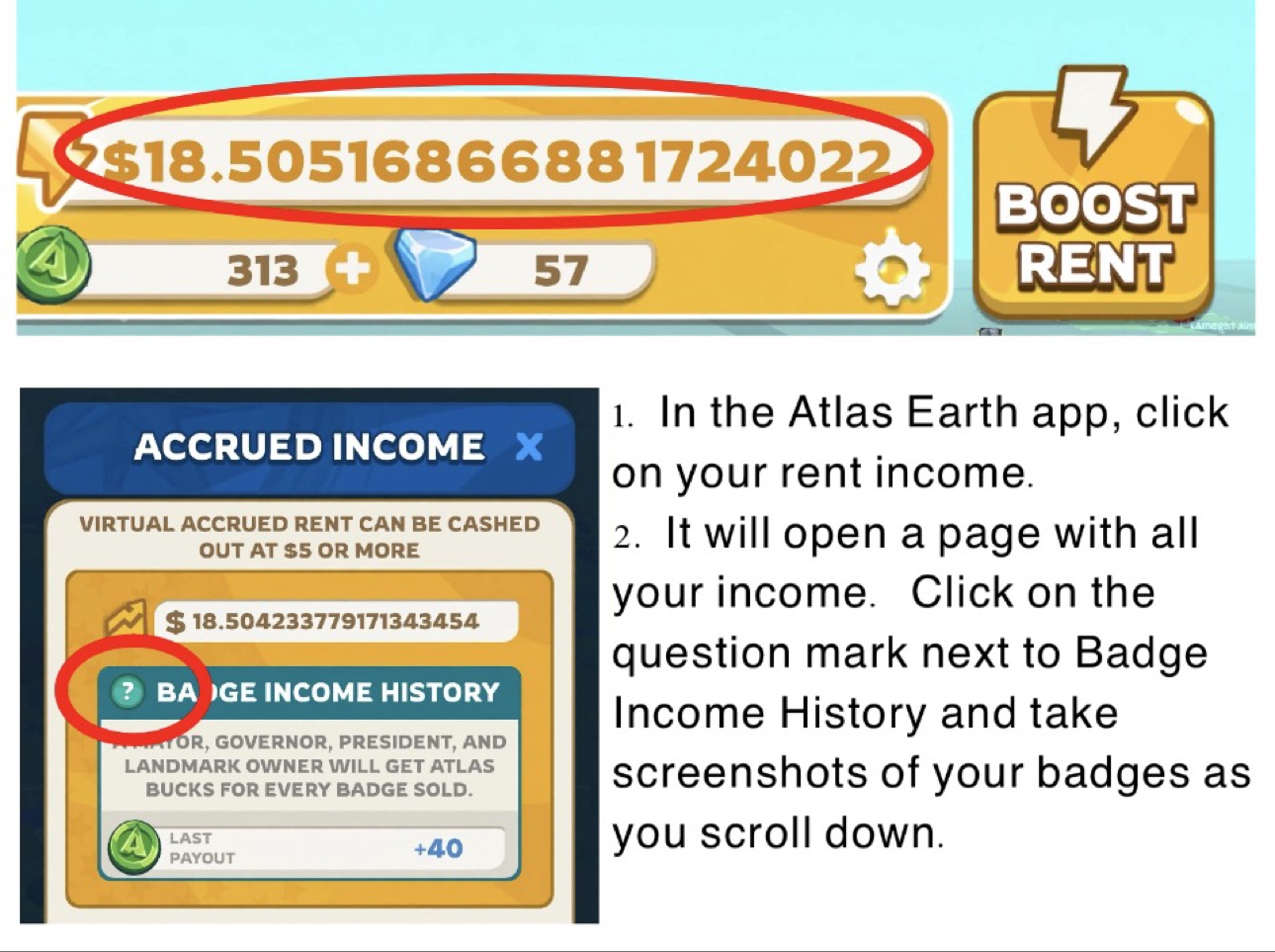
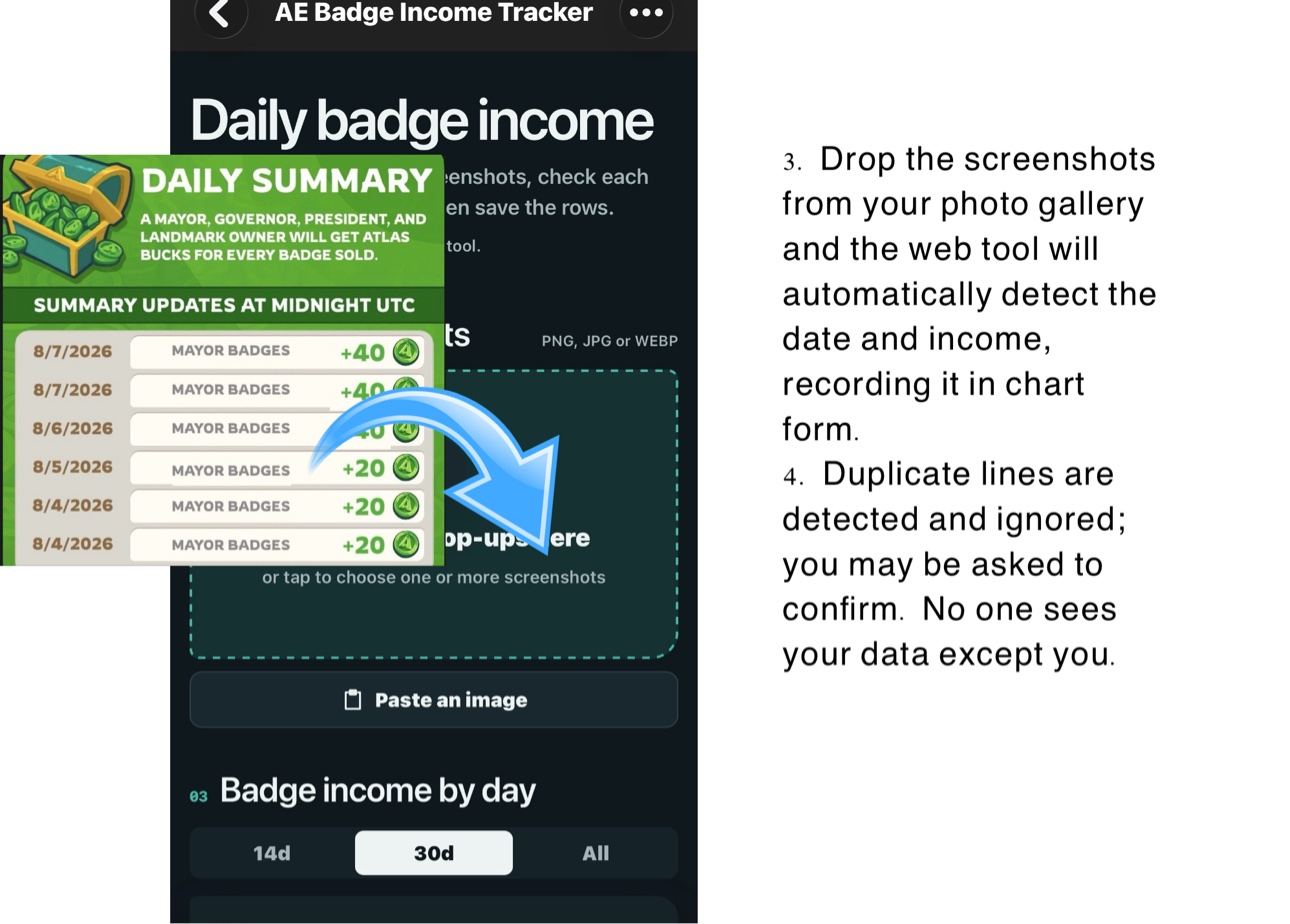
Drop in one or several screenshots, check each row's date, title and AB, then save the rows.
Each screenshot is sent to an AI reader to pull out the numbers, then discarded — it is not stored anywhere after it is read.
Your saved history stays only in this browser. Use Export JSON to back it up or move it to another device.
01
PNG, JPG or WEBP
Add screenshots
Drop badge pop-ups here
or tap to choose one or more screenshots
03
Badge income by day
04
At a glance
Total tracked0 AB
Days recorded0
Titles seen0
Best day—
05
Daily ledger
Keep your own copy
Backup & move your history
Export everything as JSON, then import it here on another device or after a reset.